Subcontract Management Software | ProjectPro

All-In-One Construction Accounting Software

MANAGE SUBCONTRACTS WITH EASE

Finish jobs quickly with improved administration for subcontracts

Book a Free Consultation

Subcontract Management
Made Simple

Subcontract Contracts, Change Orders, & More, All at one place

ProjectPro on Microsoft Dynamics 365 Business Central provides the  best construction project management solutions  for tracking and managing subcontractors for projects.  Users can manage subcontractor contracts, change orders, work performed, retention values, lien release waivers, pay-when-paid, and compliance documents such as certificates of insurance.
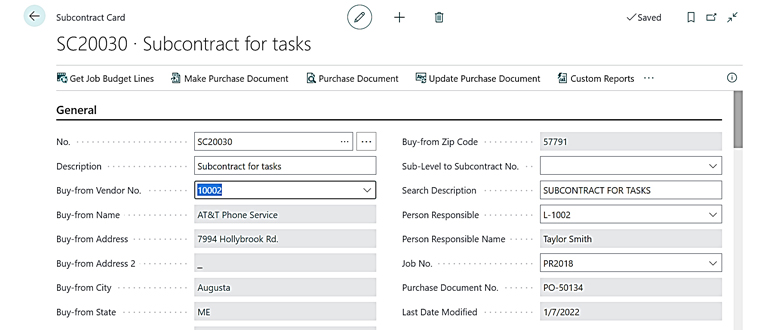
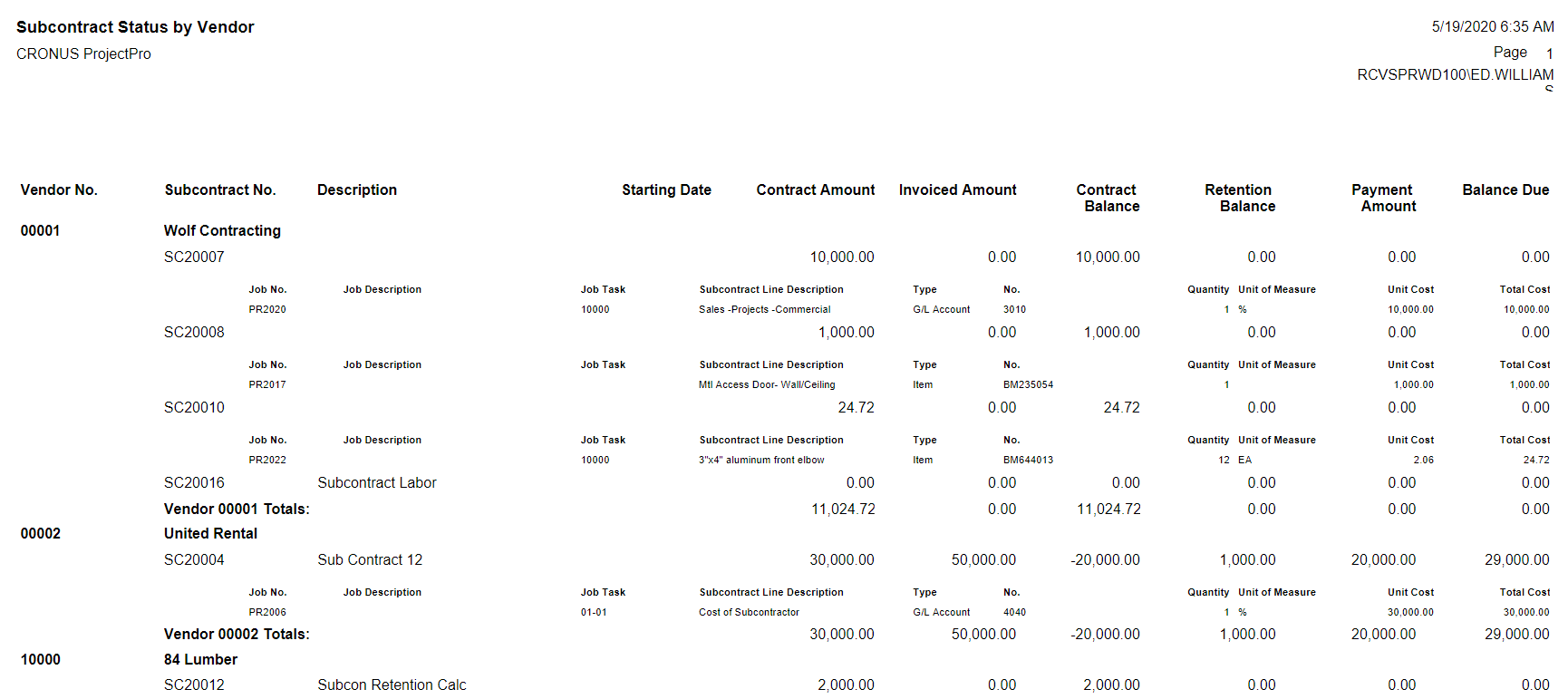
Subcontracts by Vendor Reports

For Tracking Project Data Based on User Categories

Maintain clear visibility into open contracts, invoiced amounts, outstanding balances and retention balances by vendors across jobs, or for all vendors on a specific job. ProjectPro helps Project Managers, Job Cost Accountants and Purchasing Managers maintain control and predict cash flow.

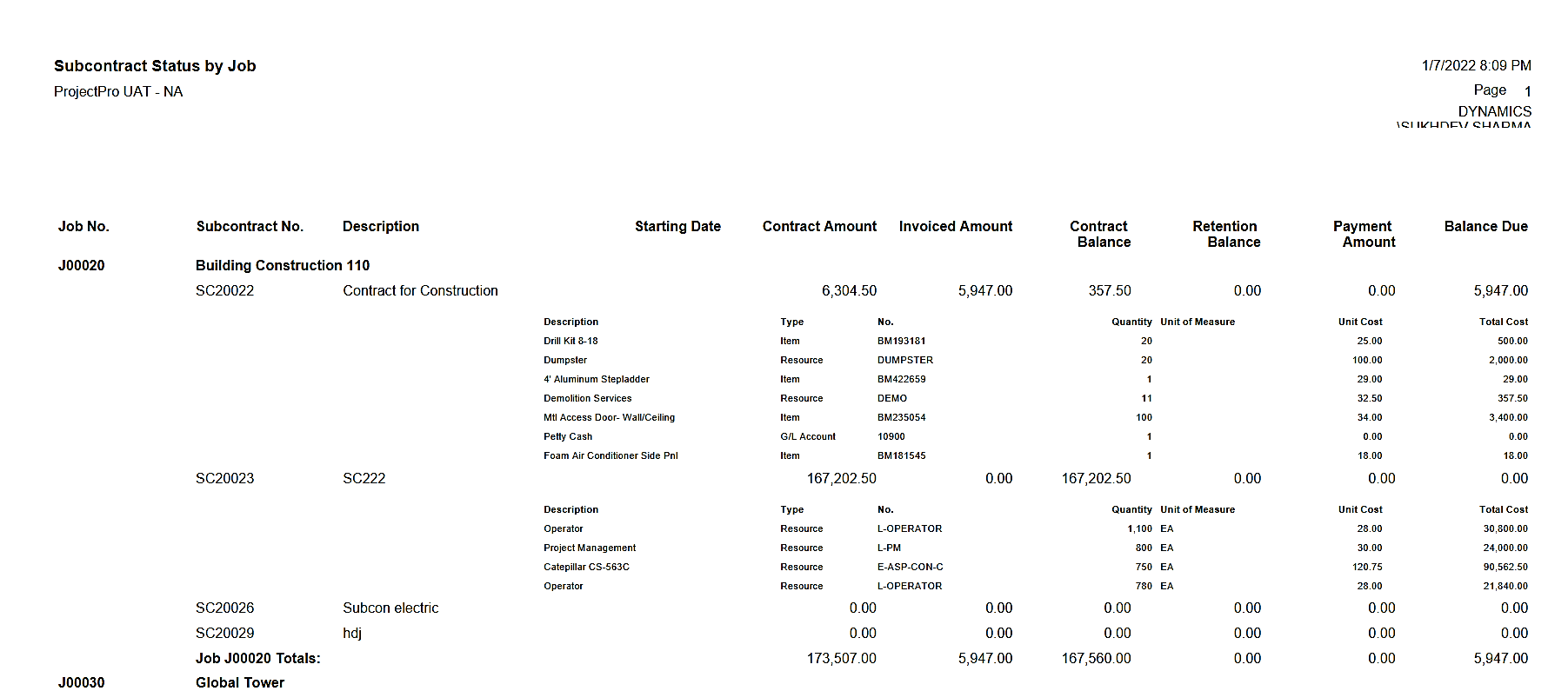
Subcontract by Job Reports

Locate Your Subcontract Data based on Job Reports

ProjectPro offers intense capabilities as accounting software for subcontractors since it allows a user to get track of subcontract data based on job reports. This makes it easy for both the project owner and the construction company to keep a check on every task related to the project. Moreover, it helps to streamline activities and set the pace for completing the deliverables on time.

Award-Winning Construction Software
Created By Industry Experts

We know the construction industry challenges and we strive to make sure you achieve your project goals. We cut through complexity to give you the assurance and directions for your decisions, because we are here for the long term.

Award 1

Insights

Case study

Communication Solution Provider

This case study will help you understand how ProjectPro helped the client streamline financial reporting, and enhance project management and operations monitoring by offering real-time project performance visibility.

Read Case Study
Product Update
Learn About ProjectPro's Product Updates
Product Update

Got a Question?

Can I easily create change orders for Subcontractors?
Yes, you can create Subcontract Change Orders which are related to the original Subcontract.
I want to know if I could add additional contract items to the original Subcontract Card even if a Purchase Order already exists?
Yes, if the user has permission to re-open Purchase Order. Then, the user can add new lines to Subcontract and transfer to the existing Purchase Order or create a new Purchase Order.
Can I track Subcontractor’s Insurance?
Yes, on the Subcontract card you can track all the insurance policies and their expiration dates. There is an alert on the user’s dashboard that will notify when a vendor’s insurance policy is within 30 days of expiring.
How does ProjectPro handle progress billings that are rejected or unapproved by the customer or field manager?
ProjectPro provides the ability to create a new “Version” of the job billing. This enables users to create a revised job billing and still keep the same “Requisition No.” so the customer only sees the corrected billing document. If the job billing was already posted, a credit memo is created to reverse the original invoice and the process is automated without re-entering information.
How do I quickly see how many jobs that a specific Subcontractor is actively working on?
You can run the Subcontractors by Vendor Report which shows all jobs listed by Subcontractor with options for subcontract details or summary in the construction project management software.
Schedule a Demo